 Fluid Wiki
Turn scattered reading into two connected notes
After reading a chapter or watching a lesson, it is easy to keep an excerpt and lose the reason it mattered. This walkthrough gives you a small routine: explain one idea in your own words, connect it to a review note, and leave a question for your next session.
You will create a Learning Review folder with two Markdown notes: Explain an idea and Weekly learning review. The result is a concrete starting point for study notes, not a requirement to reorganize your entire library.
If you have not installed Fluid Wiki or created a vault, start with the complete getting-started guide. This exercise uses local editing and filename lookup; no AI API key is required.
1. Choose a study topic and create a folder
- For practice, open the English Sample Vault from the Vault menu. It contains The Feynman Technique under Learning Methods. If needed, choose English in the app’s language setting before reopening the sample.
- Open Explorer. Next to Documents, click New Directory, enter Learning Review and confirm.
- Keep the new folder selected. New documents will be created inside it. For your own study material, use your personal vault and choose one chapter, article or lesson to work with.
The example below adds two exercise notes to an isolated copy of the English sample. They are tutorial inputs, not AI-generated answers or notes already bundled with the app.
2. Write one explanation you can reuse
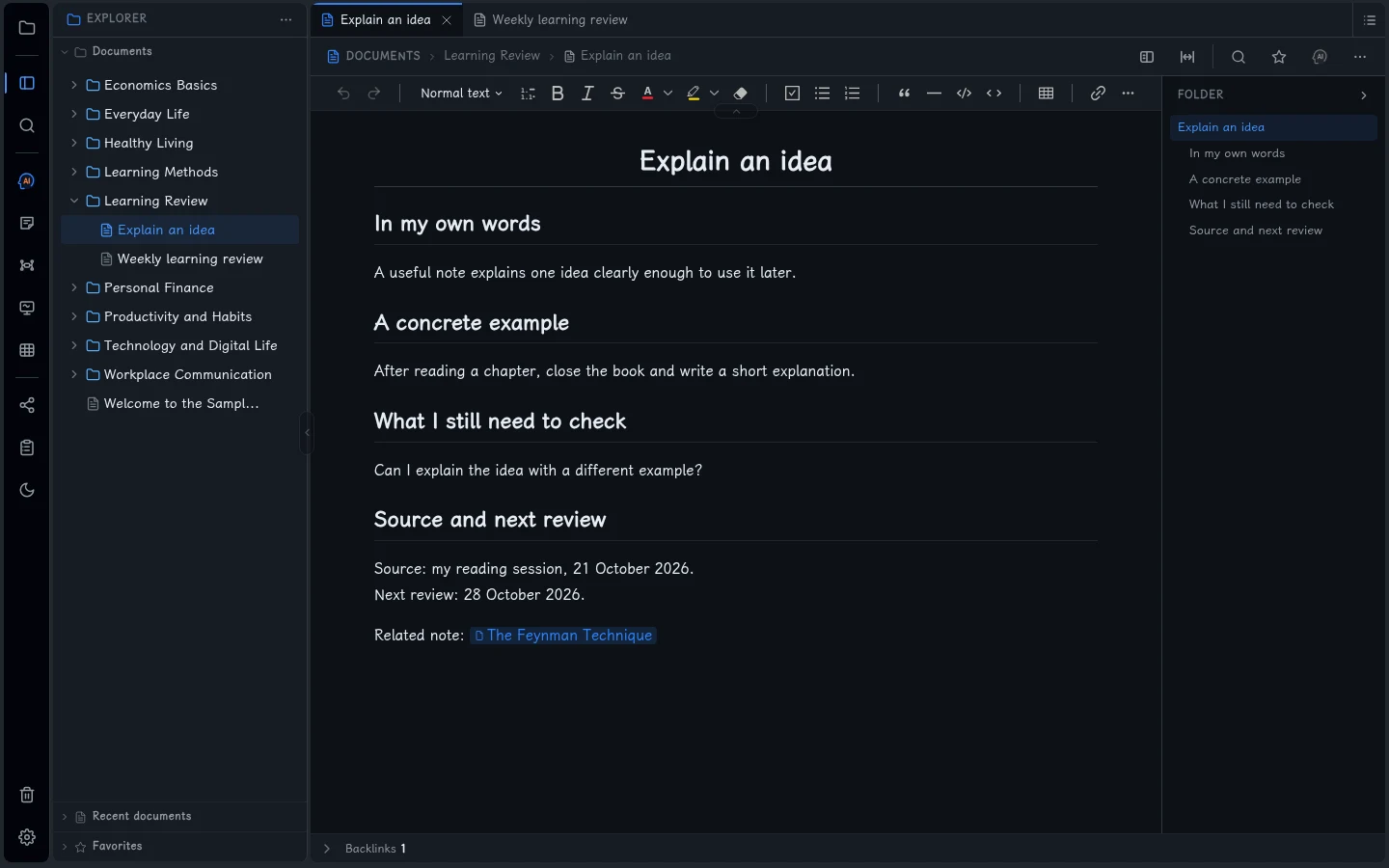
Create a document called Explain an idea in Learning Review. Use these four headings: your explanation, an example, a remaining question, and the source with a review date. The completed Markdown example is:
# Explain an idea

## In my own words
A useful note explains one idea clearly enough to use it later.

## A concrete example
After reading a chapter, close the book and write a short explanation.

## What I still need to check
Can I explain the idea with a different example?

## Source and next review
Source: my reading session, 21 October 2026.
Next review: 28 October 2026.

Related note: [[The Feynman Technique]]
Replace the reading-session placeholder with the actual book title, page, article URL or lesson name when you use this template for your work. Use your own review date. Save with Ctrl + S, then reopen the note to confirm the content remains.
3. Connect the explanation to a review note
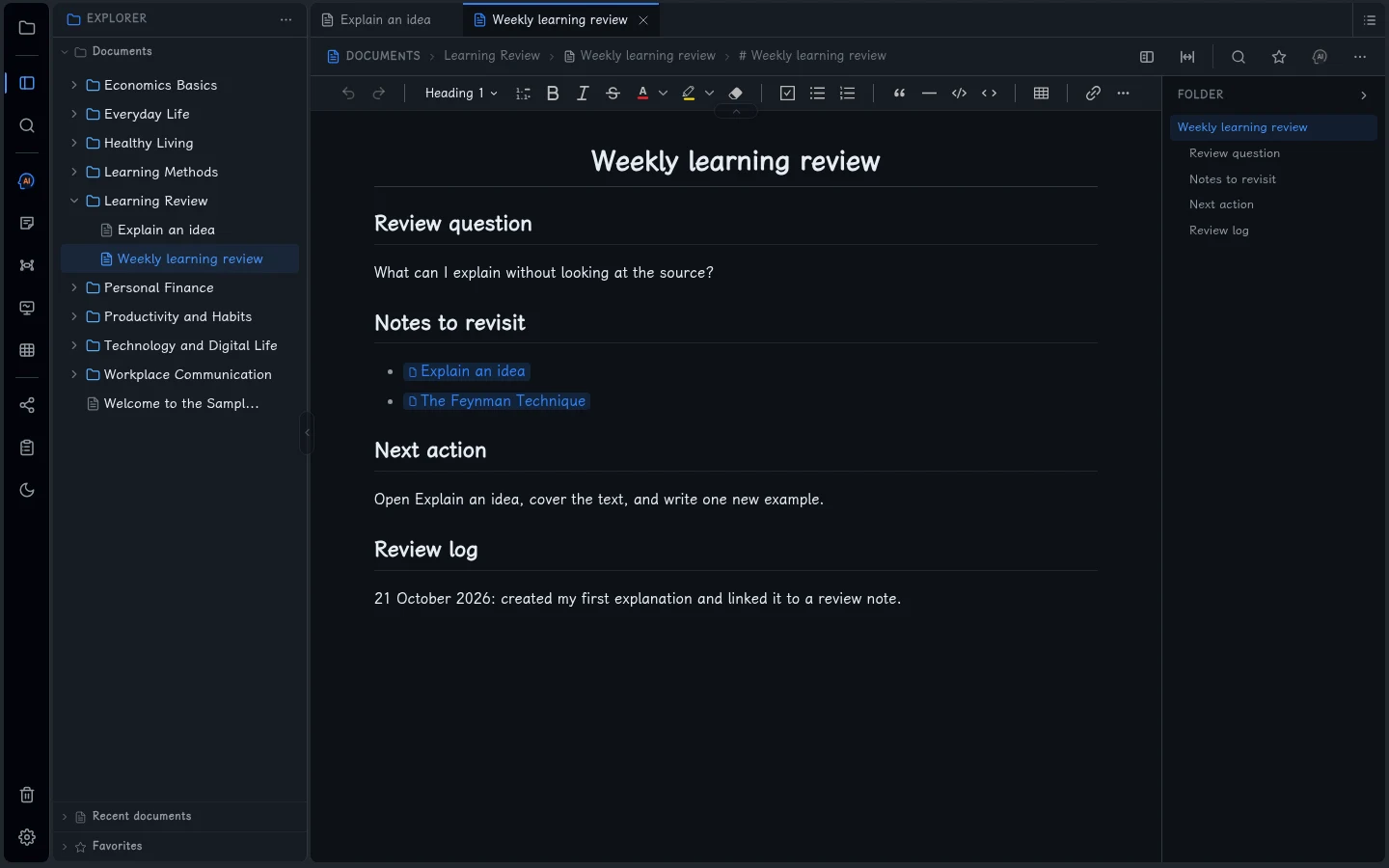
A folder tells you where a file lives. A link gives you a route back to the idea when it is time to use it. In the same folder, create Weekly learning review and add:
# Weekly learning review

## Review question
What can I explain without looking at the source?

## Notes to revisit
- [[Explain an idea]]
- [[The Feynman Technique]]

## Next action
Open Explain an idea, cover the text, and write one new example.

## Review log
21 October 2026: created my first explanation and linked it to a review note.
Save, then select the rendered Explain an idea link to open the first note. Fluid Wiki uses [[note title]] for these internal links. For this exercise, keep both note titles unique within the vault.
The link to The Feynman Technique refers to the existing English sample. In a personal vault, replace it with the exact title of a note that exists there; copying the example text does not copy that sample document.
4. Return with a question, then update the note
- At your next study session, press Ctrl + P, type Weekly learning review and open it.
- Follow the link to Explain an idea. Before rereading it, try to explain the idea or give a new example from memory.
- Check the source when you notice a gap. Revise the explanation and add the date and what changed to your review log.
The review date is plain text for you to act on. This workflow does not create a scheduled reminder or run an automatic spaced-repetition system. Choose a review interval that suits your study routine.
5. Keep the routine small and keep your files
Start with one useful explanation per study session. Add another note when there is a separate idea worth keeping, and link it from your review note. You can change the folder layout later without designing a large filing system on day one.
Your documents are Markdown files in the local vault. Keep the whole vault backed up, including its subfolders and hidden files. Save and close the app before copying it; see the backup steps in the beginner guide.
Optional AI can help you ask questions about a note, but this routine is complete without it. If you enable AI, related content goes to your selected model provider and its fees apply separately. Review any answer against your source.
Continue with your own material
- Keep: one explanation, one concrete example and a source you can return to.
- Connect: one review note with working links to the notes you want to revisit.
- Check: reopen your saved notes, follow a link and find one by filename.
For a wider look at the workspace, watch the Fluid Wiki desktop demo on YouTube. It shows the editor, AI and visual tools; this article provides the specific study-note exercise.
Download Fluid Wiki for Windows to try the workflow, or use the beginner guide for installation and vault setup.
Screenshots come from the real app using an isolated English sample vault. The two exercise notes were created for this walkthrough. Select an image to view it full size.